Transferring a participant to another conference
You can transfer a participant from one conference to another conference (or to another device or system via the Infinity Gateway). There are several ways to do this: Using the Administrator interface, Using Pexip apps, or Using the APIs.
After the transfer has been successfully initiated, the transferred participant is removed from the original conference. Should the transfer then fail (for example, if it is made to a device that rejects the call), the transferred participant is disconnected i.e. it will not rejoin the original conference.
You can transfer a participant into a VMR that requires participant authentication. For full information, see Transferring participants.
Using the Administrator interface
To use the Pexip Infinity Administrator interface to transfer a single participant from one conference to another conference:
-
Select the participant. You can do this in two ways:
- Go to and select the participant to transfer.
- Go to and select the Virtual Meeting Room or Virtual Auditorium that the participant is currently in. From the tab, select the participant to transfer.
-
At the bottom right of the screen, select .
The dialog opens.
-
Enter the Target conference alias.
This can be any alias associated with a Virtual Meeting Room, Virtual Auditorium or Call Routing Rule.
- Select the Role the participant will have in the new conference.
-
Select .
If the transfer is successful, the participant list is updated to show the participant in the new conference (it may also temporarily show the participant still connected to the previous conference).
Using Pexip apps
To use the Pexip app to transfer a participant from one conference to another, you must have joined as a Host.
From the Participants panel, hover over the participant's name, select  and then select Transfer.
Enter the alias of the conference you wish to transfer the participant to, its PIN (if applicable) and whether the participant should join as a Host, and then select .
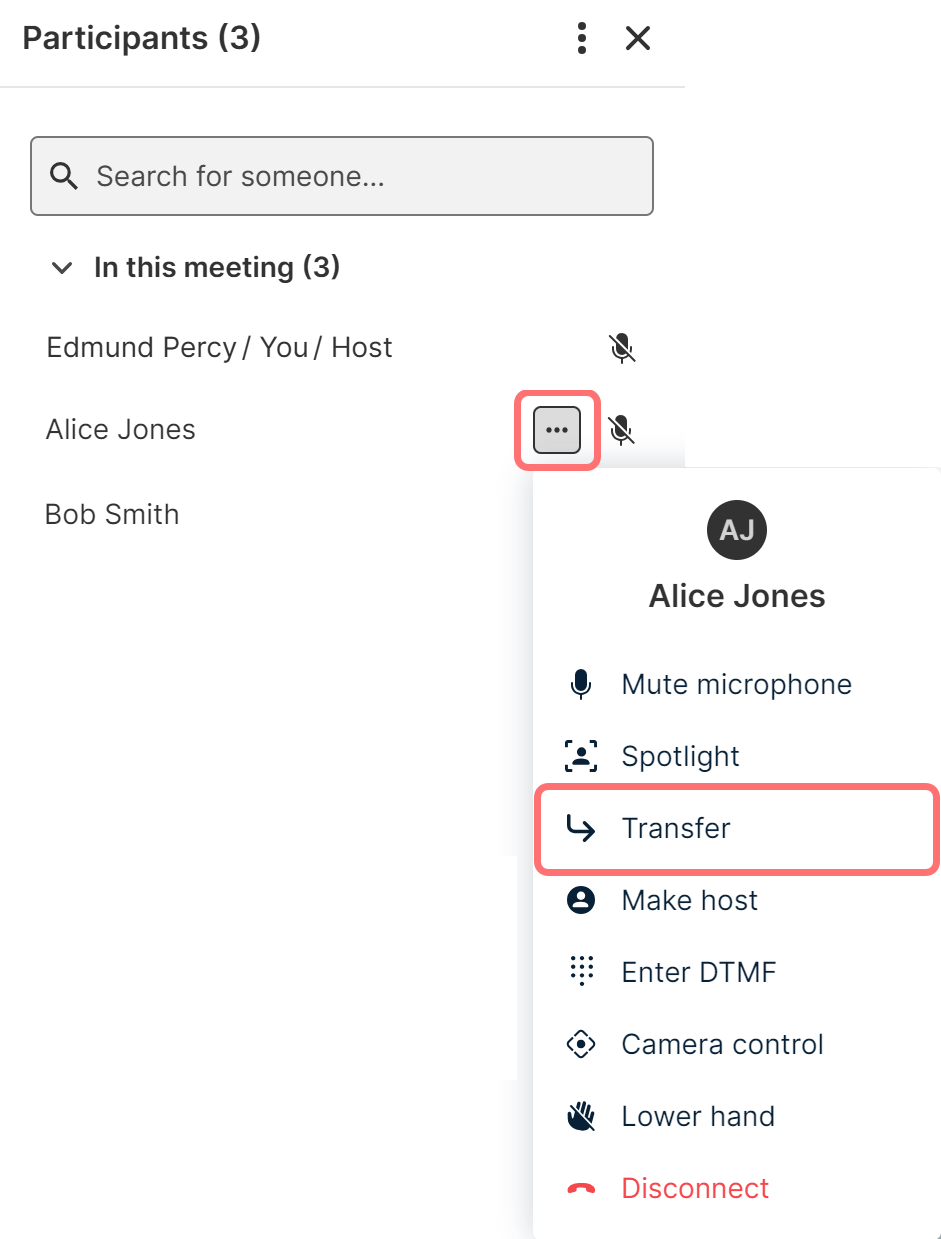
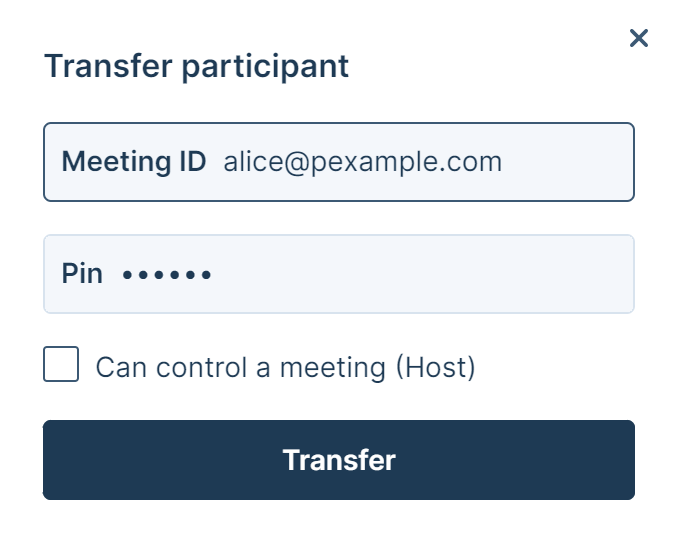
You can transfer any participant, except yourself.
Using the APIs
Third-party applications can use the management API and the client APIs to transfer participants to another conference.
For more information, see Management command API and Using the Pexip client APIs.