Removing dynamic Teams Connector resource groups from Azure
Before redeploying or upgrading a Teams Connector, you must remove some of the existing Teams Connector resources from Azure. We provide PS commands to do this in the main documentation, but the dynamic resource groups that need to be deleted can be manually removed via the Azure portal as follows:
-
Identify all of your existing Teams Connector resources in Azure: in the Azure portal, for your subscription, go to Resource groups and search for the prefix that you used when naming your resources — this is the value of the $PxBaseConnName variable in the initialization script.
You will see resource groups with names in the following formats:
- <prefix>-TeamsBot-RG: this contains the Azure Bot
- <prefix>-TeamsConn-<blue/green/region>-RG: this contains the Teams Connector instances (Virtual Machine scale set)
- <prefix>-TeamsConn-<blue/green/region>-static-RG: this includes the Azure Key Vault and the public IP address of the Teams Connector
If you have followed a blue-green deployment strategy or deployed a Teams Connector in multiple regions you will see several <prefix>-TeamsConn-... resource groups.
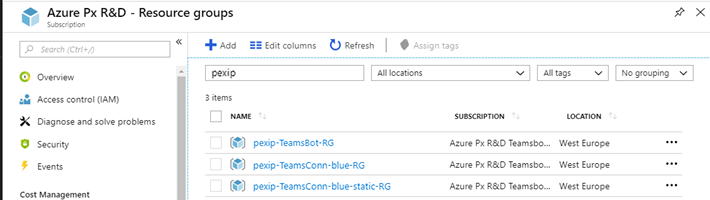
- <prefix>-TeamsBot-RG: this contains the Azure Bot
-
Select the <prefix>-TeamsConn-<region>-RG resource group.
(Do not select any resource groups with TeamsBot or static in its name.)
If you have many Teams Connectors in multiple regions, select the resource group with the <region> name you want to delete.
-
Select and confirm with the name of the resource group.
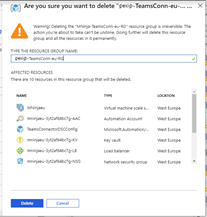
Your Teams Connector will stop working when you confirm this step.
- The deletion may take a few minutes to complete. When the resource group is deleted you can start to redeploy the Teams Connector as described below.