Scheduling secure meetings using Microsoft Exchange
The Secure Scheduler for Exchange feature (previously known as VMR Scheduling for Exchange) allows you to create an add-in that enables Microsoft Outlook users in Office 365 or Exchange environments to quickly and easily add a Pexip VMR to their meeting invitations, enabling any meeting to be held over video.
Users can host their meeting in a single-use VMR that is created specifically for the meeting and only available for its duration, or they can host their meeting in their own personal VMR. You can either let users decide which type of VMR to use for each meeting, or make just one type of VMR available in your deployment.
You can provide the add-in button as the only option within Outlook for scheduling video meetings, or you can offer it alongside other add-ins. This means that if you already have a primary meeting solution, you can still offer a "two button" approach, with Pexip Infinity as a complementary meeting alternative — for example, when the meeting's content or security classification requires it, or for business continuity purposes. For more information about Pexip Secure Meetings, see our website.
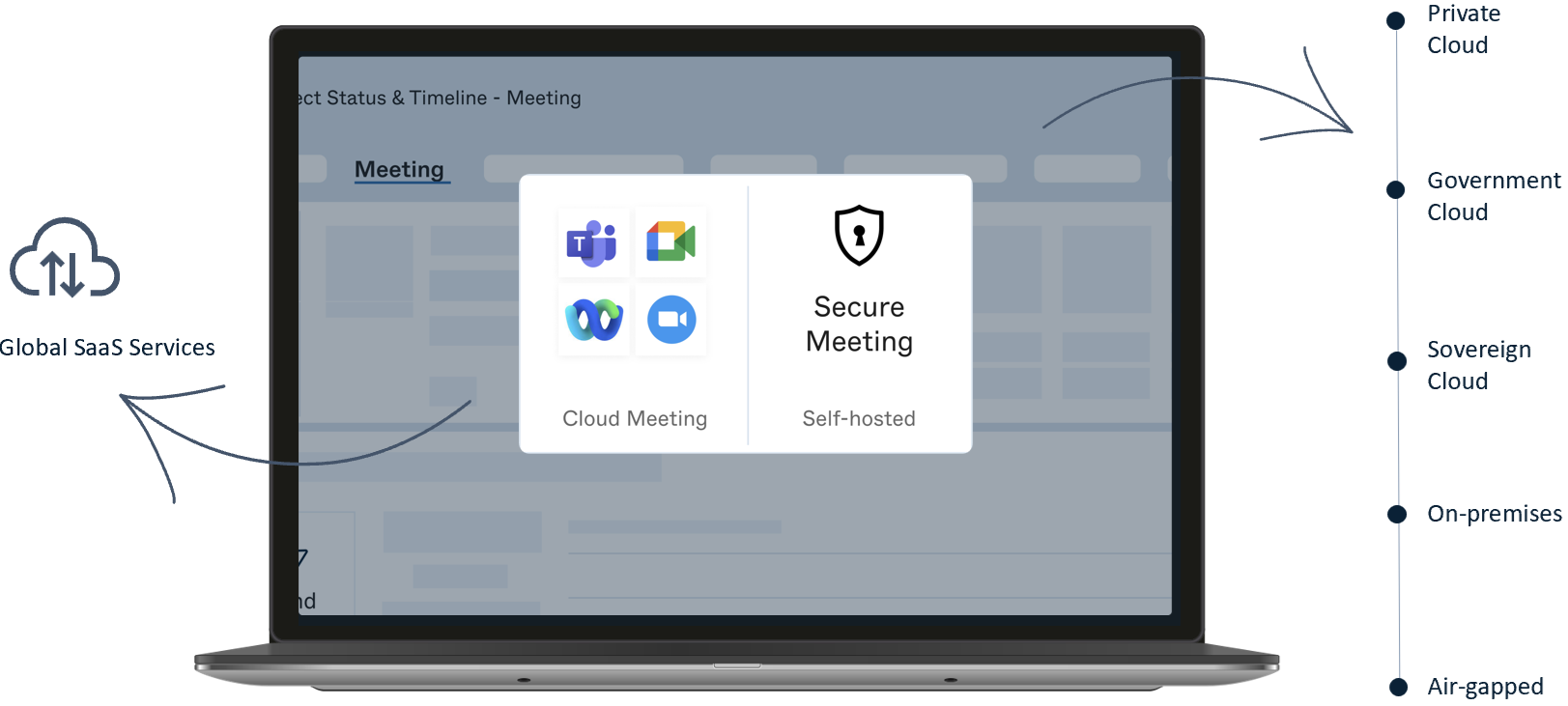
Secure Scheduler for Exchange is an optional licensed feature within the Pexip Infinity platform. When it is enabled, you can create Secure Scheduler for Exchange Integrations to one or more Microsoft Exchange deployments.
In this topic:
- Supported Exchange deployments
- Supported clients
- Support for delegate access to calendars
- Network architecture and firewalls
Supported Exchange deployments
Secure Scheduler for Exchange is supported on the following Microsoft Exchange deployments:
- Microsoft 365
- Exchange 2016 (with the latest updates)
- Exchange 2019 (with the latest updates)
Supported clients
Exchange on-premises
The Secure Scheduler for Exchange add-in is supported on all Outlook clients that support the Microsoft Outlook add-in API. At the time of release, this includes the following clients:
- Outlook Web Application (OWA) when connected to any supported Microsoft Exchange on-premises deployment
- Office on Windows (Office 2016 and later)
- Office on Mac (Office 2016 and later)
- Outlook as part of Microsoft 365 on Windows and Mac.
Outlook apps for iOS and Android are not supported.
Microsoft 365
The Secure Scheduler for Exchange add-in uses APIs that are only supported in Outlook clients from 2021 LTSC and later. At the time of release, this includes the following clients:
- Office on the web (Office 365)
- Office on Windows (Office 2021 LTSC and later)
- Office on Mac (version 16.40 and later)
- Outlook as part of Microsoft 365 on Windows and Mac.
Outlook apps for iOS and Android are not supported.
There are some minor usability issues when using Outlook add-ins under certain circumstances; see Troubleshooting Secure Scheduler for Exchange for more information.
The Pexip add-in is dependent on the Microsoft Outlook add-in API. Any changes to the API should be backwards-compatible, but may impact the functionality of the Pexip add-in.
Support for delegate access to calendars
Pexip Infinity supports the use of the Secure Scheduler for Exchange add-in within delegate calendars to schedule meetings in single-use VMRs. Delegates cannot use the add-in to schedule meetings in the personal VMR of the person for whom they are a delegate.
To use delegate calendars with Secure Scheduler for Exchange:
- Delegate users must be set up in accordance with Microsoft's instructions for granting delegate access.
-
Users must be using a version of Outlook that supports add-ins for delegates:
- Exchange Online users must be using Outlook version 1910 (Build 12130.20272) or later.
- Exchange on-premises 2016/2019 users must be using Outlook Version 2206 (Build 15330.20000) for the Current Channel and Version 2207 (Build 15427.20000) for the Monthly Enterprise Channel.
For more information on supported clients and platforms, see Microsoft's documentation.
Network architecture and firewalls
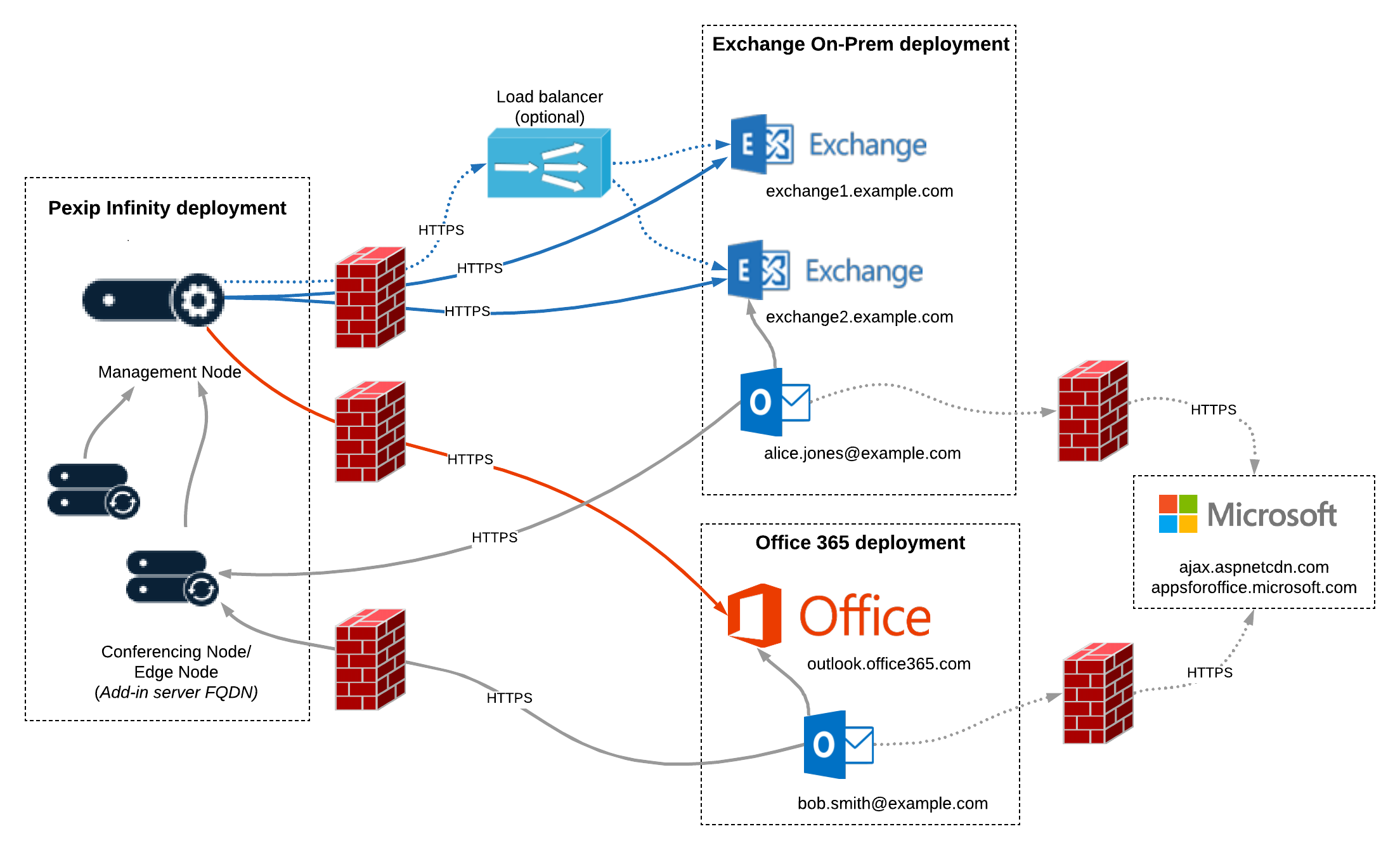
The diagram below summarizes the connectivity required between the components of the Pexip and Exchange/O365 deployments.
In this example, there are firewalls in place between the Pexip Infinity deployment and the Exchange and Office 365 deployments. Your own deployment may or may not have these, but in all cases you must ensure the following connections are permitted:
-
from the Pexip Infinity Management Node to:
- each Microsoft Exchange server: HTTPS, TCP port 443
- login.microsoftonline.com (if you are using Office 365)
- the Kerberos Key Distribution Center (KDC) (if Kerberos Authentication is enabled): UDP and TCP port 88
- the KDC Proxy (if Kerberos Authentication and Kerberos KDC HTTPS proxy is enabled): HTTPS, TCP port 443
- the load balancer (if you have one): HTTPS, TCP port 443
- from the Pexip Infinity Conferencing Nodes to the User OAuth token URI (if personal VMRs are enabled)
- from the Outlook clients to the hostname specified by the Add-in server FQDN. This must be reachable either directly, or by using split DNS to resolve to a Transcoding Conferencing Node, Proxying Edge Node, or reverse proxy: HTTPS, TCP port 443
-
from the Outlook clients to https://appsforoffice.microsoft.com. This connection is required in order to use the JavaScript API for Office — for more information, see this Microsoft article.
You can host these resources locally for deployments that are entirely offline. For more information, see Advanced options.
Using a load balancer in your Exchange deployment
Secure Scheduler for Exchange Integrations support the use of load balancers in front of the Exchange servers. However, NTLM Authentication will not work if a Layer 7 load balancer is in use. To work around this issue we recommend reconfiguring your load balancer to Layer 4.
In all deployments using load balancers, the FQDN of the load balancer must still be configured in the list of Exchange domains, even if the EWS URL uses the address of the load balancer.